
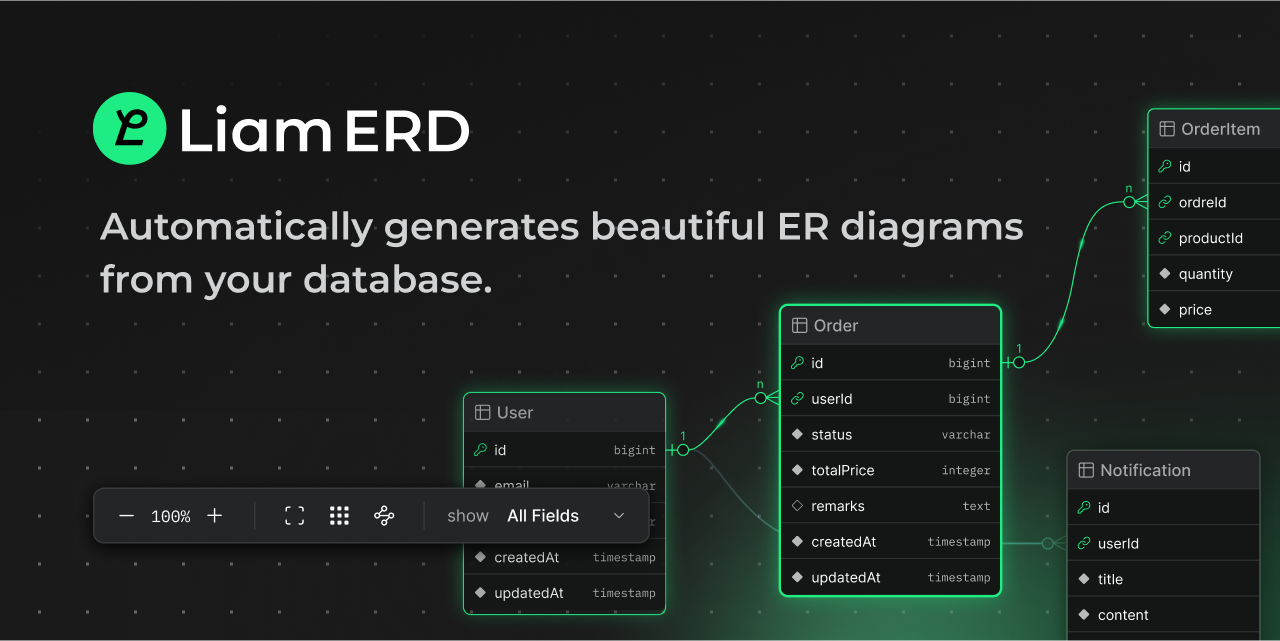
We’ve developed a new database design tool called Liam ERD, and it’s finally here! Let us introduce it to you.

TL;DR
Why We Built Liam ERD
In software development, ER diagrams (Entity Relationship Diagrams) simplify visualizing and sharing database structures, making communication smoother. They help reduce onboarding costs for new team members, assist non-engineering roles like PdMs or customer support with explanations, and enable data analytics teams to understand table structures without reading product code.
While having ER diagrams as documentation is convenient, manually updating them with spreadsheets or diagramming tools is labor-intensive and prone to errors or omissions. That’s why it’s ideal to auto-generate ER diagrams from schema files committed to the project repository or metadata retrieved from a database connection.
Several tools already offer ER diagram auto-generation. For instance, tools using Mermaid.js or PlantUML generate images, but static images become hard to read for large, complex projects. Tools like SchemaSpy that output in HTML format also exist, but they often require extensive runtime and middleware dependencies, making integration into CI/CD pipelines challenging.
We wanted a CI/CD-friendly, easy-to-set-up, and highly readable ER diagram auto-generation tool—thus, Liam ERD was born.
Features of Liam ERD
Liam ERD has four key features:
Let’s take a closer look at its features with some screenshots!

Liam ERD positions related tables close to each other, avoiding overly complex cardinality lines and ensuring a clean layout. Even for large-scale table structures, it provides excellent readability from the initial view.

Still, large-scale structures can be hard to grasp. Liam ERD highlights related tables and columns when hovering over a table, helping you quickly locate the tables you’re interested in.

Selecting a table brings up a detailed pane from the right, displaying comments on the table and columns, indexes, and a focused ER diagram of related tables.
Other subtle user experiences make it easier to grasp table structures. For example, here’s a link to the open-source social media platform Mastodon’s ER diagram, which includes about 99 tables. Check it out!

Using Liam ERD for Public Repositories
For public GitHub repositories, it’s incredibly easy to use. Just prepend https://liambx.com/erd/p/ to the URL of your schema file, and Liam ERD will render the ER diagram.
This allows you to view ER diagrams generated from the main branch schema. You can also replace main with a specific commit hash to render the ER diagram at that point in time.
Example: Prisma + GitHub Actions + Cloudflare Pages
While the above is the simplest usage, you might think, "This won’t work for our internal projects!" And you’d be right!
Liam ERD is also available as a CLI tool via npm, enabling you to generate ER diagrams locally or with GitHub Actions and host them easily.
https://www.npmjs.com/package/@liam-hq/cli
Here’s a practical example of deploying with Prisma, GitHub Actions, and Cloudflare Pages. We chose Cloudflare Pages because its Cloudflare Access feature makes it simple to restrict access, such as allowing only internal members.
First, prepare a schema.prisma like this:
// This is your Prisma schema file,
// learn more about it in the docs: https://pris.ly/d/prisma-schema
generator client {
provider = "prisma-client-js"
}
datasource db {
provider = "sqlite"
url = env("DATABASE_URL")
}
model User {
id Int @id @default(autoincrement())
email String @unique
username String
password String
createdAt DateTime @default(now())
updatedAt DateTime @updatedAt
profile Profile?
posts Post[]
comments Comment[]
orders Order[]
notifications Notification[]
}
model Profile {
id Int @id @default(autoincrement())
userId Int @unique
firstName String
lastName String
bio String?
avatar String?
birthDate DateTime?
phoneNumber String?
user User @relation(fields: [userId], references: [id])
}
model Post {
id Int @id @default(autoincrement())
title String
content String
published Boolean @default(false)
createdAt DateTime @default(now())
updatedAt DateTime @updatedAt
authorId Int
author User @relation(fields: [authorId], references: [id])
comments Comment[]
tags Tag[]
}
model Comment {
id Int @id @default(autoincrement())
content String
createdAt DateTime @default(now())
updatedAt DateTime @updatedAt
postId Int
authorId Int
post Post @relation(fields: [postId], references: [id])
author User @relation(fields: [authorId], references: [id])
}
model Tag {
id Int @id @default(autoincrement())
name String @unique
posts Post[]
}
model Product {
id Int @id @default(autoincrement())
name String
description String
price Decimal
stock Int
createdAt DateTime @default(now())
updatedAt DateTime @updatedAt
orderItems OrderItem[]
categoryId Int
category Category @relation(fields: [categoryId], references: [id])
}
model Category {
id Int @id @default(autoincrement())
name String @unique
products Product[]
}
model Order {
id Int @id @default(autoincrement())
userId Int
status OrderStatus @default(PENDING)
totalPrice Decimal
createdAt DateTime @default(now())
updatedAt DateTime @updatedAt
user User @relation(fields: [userId], references: [id])
orderItems OrderItem[]
}
model OrderItem {
id Int @id @default(autoincrement())
orderId Int
productId Int
quantity Int
price Decimal
order Order @relation(fields: [orderId], references: [id])
product Product @relation(fields: [productId], references: [id])
}
model Notification {
id Int @id @default(autoincrement())
userId Int
title String
content String
read Boolean @default(false)
createdAt DateTime @default(now())
user User @relation(fields: [userId], references: [id])
}
enum OrderStatus {
PENDING
PROCESSING
SHIPPED
DELIVERED
CANCELLED
}
Then, create a Cloudflare Pages project using Wrangler with the following command:
wrangler pages project create prisma-with-cloudflare-pages
Next, add the following GitHub Actions workflow file:
name: prisma-with-cloudflare-pages
on:
push:
branches:
- main
paths:
- prisma/schema.prisma
jobs:
build-and-deploy-erd:
runs-on: ubuntu-latest
permissions:
contents: read
deployments: write
steps:
- uses: actions/checkout@v4
- name: Generate ER Diagrams
run: npx @liam-hq/cli erd build --input prisma/schema.prisma --format prisma
- name: Deploy ERD to Cloudflare Pages
uses: cloudflare/wrangler-action@v3
with:
apiToken: ${{ secrets.CLOUDFLARE_API_TOKEN }}
accountId: ${{ secrets.CLOUDFLARE_ACCOUNT_ID }}
command: pages deploy ./dist --project-name=prisma-with-cloudflare-pages
gitHubToken: ${{ secrets.GITHUB_TOKEN }}
And that’s it—your ERD is deployed!

Since Liam ERD is built with Vite and React, it should be deployable on most hosting services with ease.
A sample repository used in this example is available here:

Currently, we support schema files for Ruby on Rails (schema.rb), Prisma (schema.prisma), and SQL DDL. We’re considering supporting other formats and welcome pull requests!
Our documentation also includes instructions for using Liam ERD with supported ORMs and RDBMS. Check it out: Supported Formats
Future Features
While Liam ERD currently focuses on visualizing table structures, we’re planning to add various database design features:
As an open-source project, we need your contributions to make Liam ERD even better! Whether it’s reporting issues, suggesting features, or submitting pull requests, your help is invaluable.
If you like what we’re building, we’d love your support—please give our repository a ⭐️ on GitHub! Your encouragement helps us grow and continue improving.
You can track our roadmap here—feel free to comment or provide feedback!
Try Liam ERD Now
That’s Liam ERD, a tool for effortlessly generating clear, readable ER diagrams. Give it a try!
More...
TL;DR
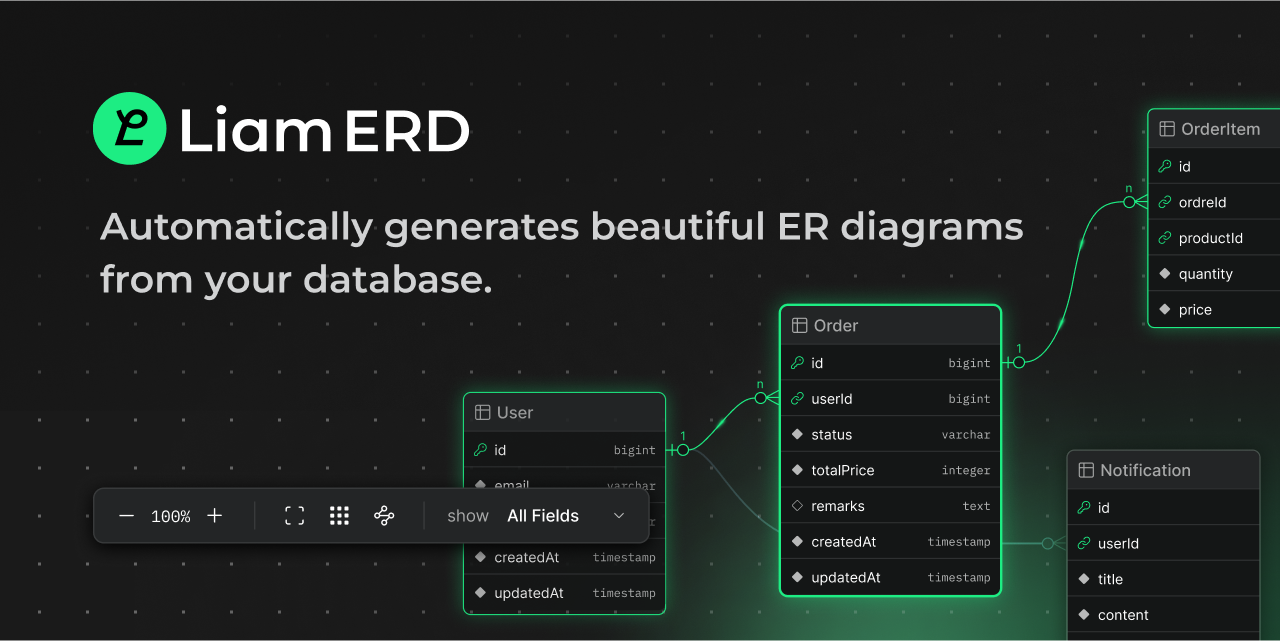
- We’ve released Liam ERD, a tool that automatically generates ER diagrams to visualize database table structures.
- Web Version: For public repositories, you can try prepending https://liambx.com/erd/p/ to the URL of a public schema file. For example, to view Mastodon’s schema: https://liambx.com/erd/p/github.com/...n/db/schema.rb
- CLI Version: For private repositories, we also provide a guide for deploying with Prisma + GitHub Actions + Cloudflare Pages.
Why We Built Liam ERD
In software development, ER diagrams (Entity Relationship Diagrams) simplify visualizing and sharing database structures, making communication smoother. They help reduce onboarding costs for new team members, assist non-engineering roles like PdMs or customer support with explanations, and enable data analytics teams to understand table structures without reading product code.
While having ER diagrams as documentation is convenient, manually updating them with spreadsheets or diagramming tools is labor-intensive and prone to errors or omissions. That’s why it’s ideal to auto-generate ER diagrams from schema files committed to the project repository or metadata retrieved from a database connection.
Several tools already offer ER diagram auto-generation. For instance, tools using Mermaid.js or PlantUML generate images, but static images become hard to read for large, complex projects. Tools like SchemaSpy that output in HTML format also exist, but they often require extensive runtime and middleware dependencies, making integration into CI/CD pipelines challenging.
We wanted a CI/CD-friendly, easy-to-set-up, and highly readable ER diagram auto-generation tool—thus, Liam ERD was born.
Features of Liam ERD
Liam ERD has four key features:
- Modern and Interactive UI: Supports panning, zooming, filtering, and focusing for better interaction.
- High Performance: Works smoothly even with 100+ tables, with fast filtering.
- CI/CD Friendly: Easy to set up and deploy, compatible with many hosting services.
- Open Source & Community-Driven: Freely modifiable code with new features developed based on community feedback.
Let’s take a closer look at its features with some screenshots!
Liam ERD positions related tables close to each other, avoiding overly complex cardinality lines and ensuring a clean layout. Even for large-scale table structures, it provides excellent readability from the initial view.
Still, large-scale structures can be hard to grasp. Liam ERD highlights related tables and columns when hovering over a table, helping you quickly locate the tables you’re interested in.
Selecting a table brings up a detailed pane from the right, displaying comments on the table and columns, indexes, and a focused ER diagram of related tables.
Other subtle user experiences make it easier to grasp table structures. For example, here’s a link to the open-source social media platform Mastodon’s ER diagram, which includes about 99 tables. Check it out!
Using Liam ERD for Public Repositories
For public GitHub repositories, it’s incredibly easy to use. Just prepend https://liambx.com/erd/p/ to the URL of your schema file, and Liam ERD will render the ER diagram.
This allows you to view ER diagrams generated from the main branch schema. You can also replace main with a specific commit hash to render the ER diagram at that point in time.
Example: Prisma + GitHub Actions + Cloudflare Pages
While the above is the simplest usage, you might think, "This won’t work for our internal projects!" And you’d be right!
Liam ERD is also available as a CLI tool via npm, enabling you to generate ER diagrams locally or with GitHub Actions and host them easily.
https://www.npmjs.com/package/@liam-hq/cli
Here’s a practical example of deploying with Prisma, GitHub Actions, and Cloudflare Pages. We chose Cloudflare Pages because its Cloudflare Access feature makes it simple to restrict access, such as allowing only internal members.
First, prepare a schema.prisma like this:
// This is your Prisma schema file,
// learn more about it in the docs: https://pris.ly/d/prisma-schema
generator client {
provider = "prisma-client-js"
}
datasource db {
provider = "sqlite"
url = env("DATABASE_URL")
}
model User {
id Int @id @default(autoincrement())
email String @unique
username String
password String
createdAt DateTime @default(now())
updatedAt DateTime @updatedAt
profile Profile?
posts Post[]
comments Comment[]
orders Order[]
notifications Notification[]
}
model Profile {
id Int @id @default(autoincrement())
userId Int @unique
firstName String
lastName String
bio String?
avatar String?
birthDate DateTime?
phoneNumber String?
user User @relation(fields: [userId], references: [id])
}
model Post {
id Int @id @default(autoincrement())
title String
content String
published Boolean @default(false)
createdAt DateTime @default(now())
updatedAt DateTime @updatedAt
authorId Int
author User @relation(fields: [authorId], references: [id])
comments Comment[]
tags Tag[]
}
model Comment {
id Int @id @default(autoincrement())
content String
createdAt DateTime @default(now())
updatedAt DateTime @updatedAt
postId Int
authorId Int
post Post @relation(fields: [postId], references: [id])
author User @relation(fields: [authorId], references: [id])
}
model Tag {
id Int @id @default(autoincrement())
name String @unique
posts Post[]
}
model Product {
id Int @id @default(autoincrement())
name String
description String
price Decimal
stock Int
createdAt DateTime @default(now())
updatedAt DateTime @updatedAt
orderItems OrderItem[]
categoryId Int
category Category @relation(fields: [categoryId], references: [id])
}
model Category {
id Int @id @default(autoincrement())
name String @unique
products Product[]
}
model Order {
id Int @id @default(autoincrement())
userId Int
status OrderStatus @default(PENDING)
totalPrice Decimal
createdAt DateTime @default(now())
updatedAt DateTime @updatedAt
user User @relation(fields: [userId], references: [id])
orderItems OrderItem[]
}
model OrderItem {
id Int @id @default(autoincrement())
orderId Int
productId Int
quantity Int
price Decimal
order Order @relation(fields: [orderId], references: [id])
product Product @relation(fields: [productId], references: [id])
}
model Notification {
id Int @id @default(autoincrement())
userId Int
title String
content String
read Boolean @default(false)
createdAt DateTime @default(now())
user User @relation(fields: [userId], references: [id])
}
enum OrderStatus {
PENDING
PROCESSING
SHIPPED
DELIVERED
CANCELLED
}
Then, create a Cloudflare Pages project using Wrangler with the following command:
wrangler pages project create prisma-with-cloudflare-pages
Next, add the following GitHub Actions workflow file:
name: prisma-with-cloudflare-pages
on:
push:
branches:
- main
paths:
- prisma/schema.prisma
jobs:
build-and-deploy-erd:
runs-on: ubuntu-latest
permissions:
contents: read
deployments: write
steps:
- uses: actions/checkout@v4
- name: Generate ER Diagrams
run: npx @liam-hq/cli erd build --input prisma/schema.prisma --format prisma
- name: Deploy ERD to Cloudflare Pages
uses: cloudflare/wrangler-action@v3
with:
apiToken: ${{ secrets.CLOUDFLARE_API_TOKEN }}
accountId: ${{ secrets.CLOUDFLARE_ACCOUNT_ID }}
command: pages deploy ./dist --project-name=prisma-with-cloudflare-pages
gitHubToken: ${{ secrets.GITHUB_TOKEN }}
And that’s it—your ERD is deployed!
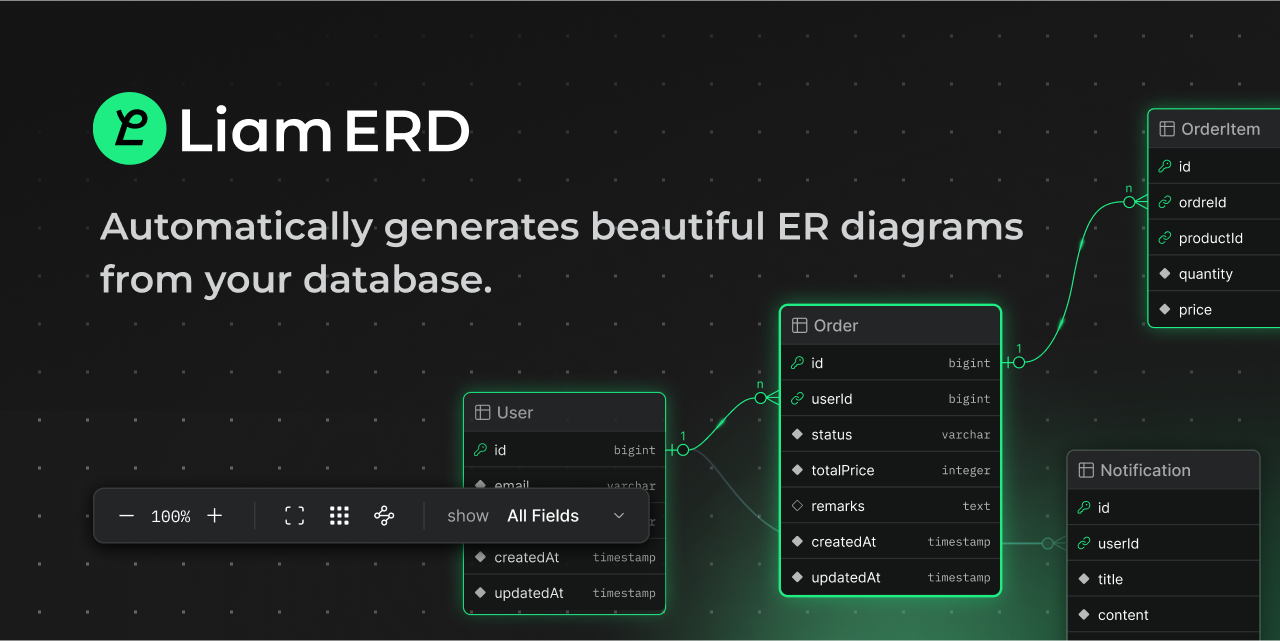
Since Liam ERD is built with Vite and React, it should be deployable on most hosting services with ease.
A sample repository used in this example is available here:
Currently, we support schema files for Ruby on Rails (schema.rb), Prisma (schema.prisma), and SQL DDL. We’re considering supporting other formats and welcome pull requests!
Our documentation also includes instructions for using Liam ERD with supported ORMs and RDBMS. Check it out: Supported Formats
Future Features
While Liam ERD currently focuses on visualizing table structures, we’re planning to add various database design features:
- Enhanced Documentation: Grouping aggregations (similar to tbls viewpoints) and adding comments.
- ERD Editing: Adding/editing tables and columns, with migration file generation for changes.
- Record Insights: Connect to a database, run simple SQL, and make table structures more accessible.
- Cloud Version: Private projects and real-time collaborative editing for teams.
As an open-source project, we need your contributions to make Liam ERD even better! Whether it’s reporting issues, suggesting features, or submitting pull requests, your help is invaluable.
If you like what we’re building, we’d love your support—please give our repository a ⭐️ on GitHub! Your encouragement helps us grow and continue improving.
You can track our roadmap here—feel free to comment or provide feedback!
Try Liam ERD Now
That’s Liam ERD, a tool for effortlessly generating clear, readable ER diagrams. Give it a try!
More...